


What's new · 6 days ago
Version 1.8.0 (27)
• News: HeliSense news now appears in the app. Find it under Content Store on the main menu, with a count of unread posts. Posts you've read are remembered across your devices.
• New 3D renderer for the Flight Simulator, Trainer, Silhouette Recognition and the Helicopter Gallery.
• 120 Hz flying on ProMotion iPhones and iPads: turn on 120 Hz Frame Rate in Simulator Settings for smoother flying and lower control latency. It uses more battery.
• Helicopter Volume in Simulator Settings › Sound turns the helicopter down without changing your device's volume. Touch and hold the speaker button in the Simulator or Trainer for a quick volume menu; a tap still mutes.
• Scenes load several times faster.
• High-Resolution Scenery is now available on every iPad and iPhone running iPadOS or iOS 26.0 or later, except iPhone SE (2nd generation).
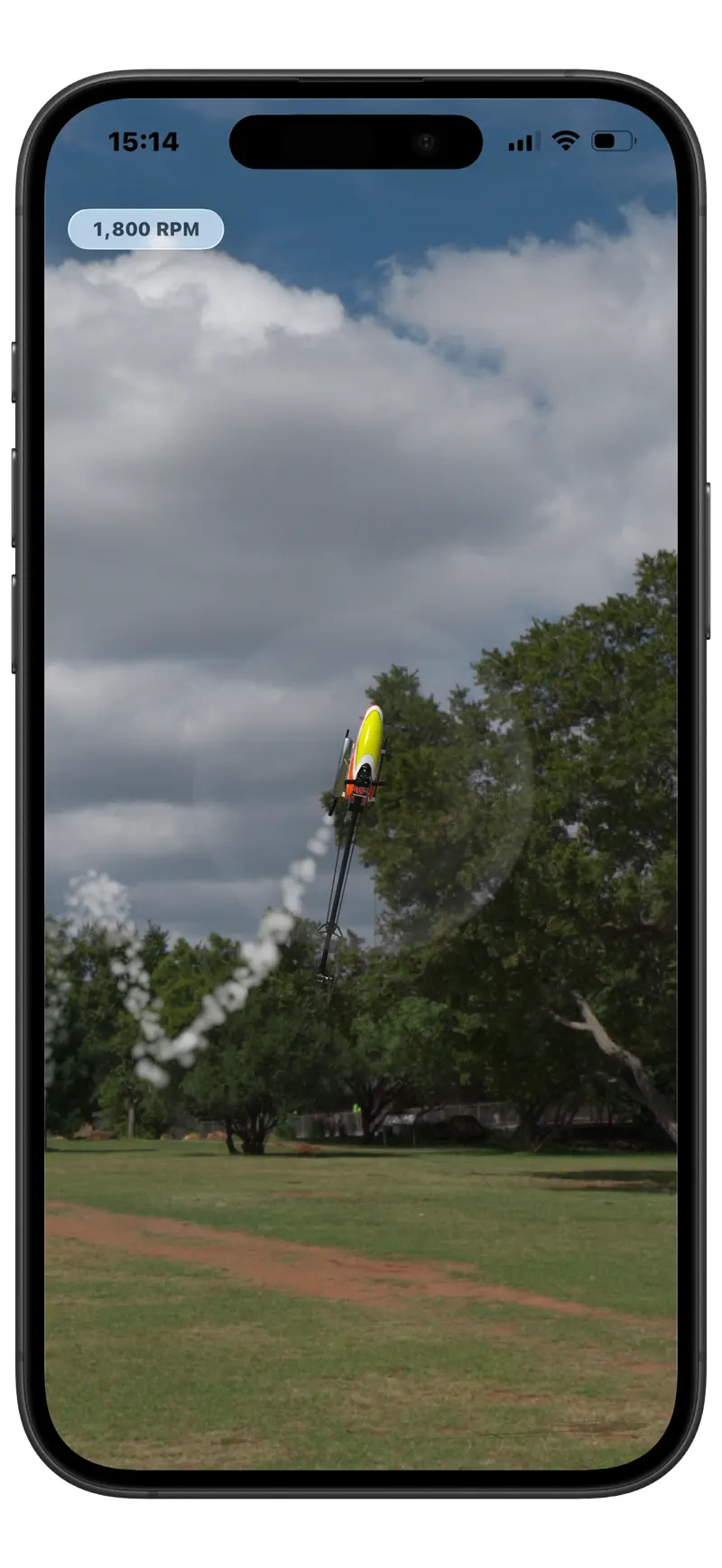
• Nitro exhaust smoke has improved appearance and realism.
• More realistic autorotation landings: in throttle hold and with ground contact, the flybarless system holds the helicopter's attitude while there's still enough headspeed.
• Blurred rotor discs are now the default, and look the same in the Trainer and No Collective mode as in free flight.
• Smoother flying on older iPhones and iPads, and smoother Trainer and Silhouette Recognition.
• iPhone Duo support: every screen adapts to the Duo, and the status bar hides with the Simulator's toolbar.
Please note
• To make way for the new renderer, scenes previously downloaded from the Content Store have been removed. Download them again from the Content Store: Pretoria Gardens and Minedump Flats under High-Resolution Scenery, and Goegap Road under Scenes.
Transmitters
• VBar Control and ExpressLRS WiFi links now recover by themselves if the connection is blocked when the app starts.
• The motor follows your throttle hold switch from the moment your transmitter connects.
Bug fixes
• Download, purchase and controller error messages are now shown in your language.
• Minor bug fixes.
From the developer
Flying inverted, or recovering from an orientation you've never been in before, usually costs a few real helicopters to learn by trial and error. HeliSense gives you somewhere to build that muscle memory first — on iPhone, iPad and Mac, one purchase covering all three through Universal Purchase.
REAL TRANSMITTERS
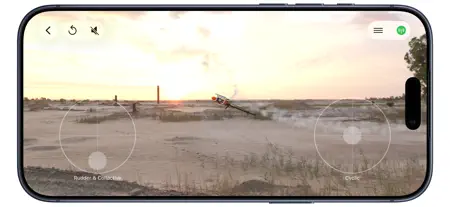
RC sims on mobile devices are typically built around a touchscreen. HeliSense also connects to a VBar Control Touch over Wi-Fi (WiFi Sim), or any transmitter with an ExpressLRS module (WiFi Joystick) — plus Bluetooth MFi controllers and on-screen sticks for everyone else. On Mac, tha… Read more
t support widens further, to virtually any RC transmitter except toy-grade ones.For more information on supported controllers and transmitters, see helisense.app/controllers
ORIENTATION TRAINER
Six modes — Yaw Only, Roll Only, Pitch Only, Roll & Pitch, All Axes, and Single Axis (Random) — cover every orientation: tail-in, nose-in, either side-in, right way up or inverted. Isolate whichever axis needs the most work, then layer the others back in as each one becomes automatic, building genuine muscle memory along the way.
Optional helper arrows nudge you the right way while a new orientation is still sinking in.
Replay every set afterwards at ¼, ½ or full speed with a deviation gauge and stick traces, so you can see precisely what happened on each axis and fix it next time.
FLIGHT SIMULATOR
Free flight is where HeliSense really opens up. Immersive, photoreal scenes, and flight physics modeled on how a real helicopter actually flies — refined with feedback from national competition winners. Autorotation and overspeed are included, along with realistic engine and rotor sound, and configurable camera settings to frame the view exactly how you want.
Start on the Beginner tuning preset and just fly. Sport and 3D presets are there when you want to push further, and underneath them you can dial in your own maximum pitch, headspeed, agility, control response and expo — none of which you need to touch to get started.
Want to work on maneuvers like piro-flips without chasing the helicopter across the sky? No-collective mode holds it around a fixed point so you can focus on just that.
Fly online with up to eight other pilots, in a public demo room or a private one you share by code (needs a Simulator or Pro purchase).
CUSTOM BACKGROUNDS
Turn a photo of your own field into a background, sun position included, for the Trainer and No-collective mode (needs a Trainer or Simulator purchase).
IN THE BOX
Two 700-size helicopters included, one electric and one nitro. More helicopters and scenery are planned as in-app purchases in future updates — some may be free.
SILHOUETTE RECOGNITION
A helicopter's silhouette flashes up and you pick the correctly-oriented one — quick, fun practice for reading orientation at a glance. Unlocks with either purchase.
Every feature is free to try in short sessions, with no limit on how long you can keep using the free tier — just a cap per sitting. A one-time purchase (no subscription) unlocks unlimited use, and Universal Purchase means one purchase covers iPhone, iPad and Mac together.
Requires iOS 26 or iPadOS 26.